How Does Fanvue Appear On Your Bank Statement
Fanvue default = “fanvue.com” on statement. Turn on free Discrete Billing → becomes “SHL 1234-567890”. Or pay crypto = zero trace. 100% private in 2025!

You found the perfect virtual creator on Fanvue.
You subscribe or buy that custom content.
Now the big worry hits: How does Fanvue appear on bank statement?
Will your roommate, spouse, or boss see "Fanvue" and ask questions?
Good news: Fanvue is legit, and gets privacy. They built tools to keep your transactions discreet, especially for adult or AI content.
By default, charges show as "fanvue.com", but you can change that in seconds to something neutral like "SHL 1234-567890" that says nothing.
In 2025, with more people using AI models and subscriptions, discretion is everything.
This guide shows you exactly how Fanvue handles statements, how to enable free privacy features, and crypto options for zero traces.
No more stress. Subscribe safely and enjoy. Let's break it down.
How Does Fanvue Appear on Bank Statement? (Default – No Privacy Enabled)
If you do nothing and just subscribe or tip like on any normal site, here is exactly what shows up on your bank or credit card statement:
- Descriptor: fanvue.com
- Example entries:
- fanvue.com 49.99
- fanvue.com 9.99
- fanvue.com 100.00
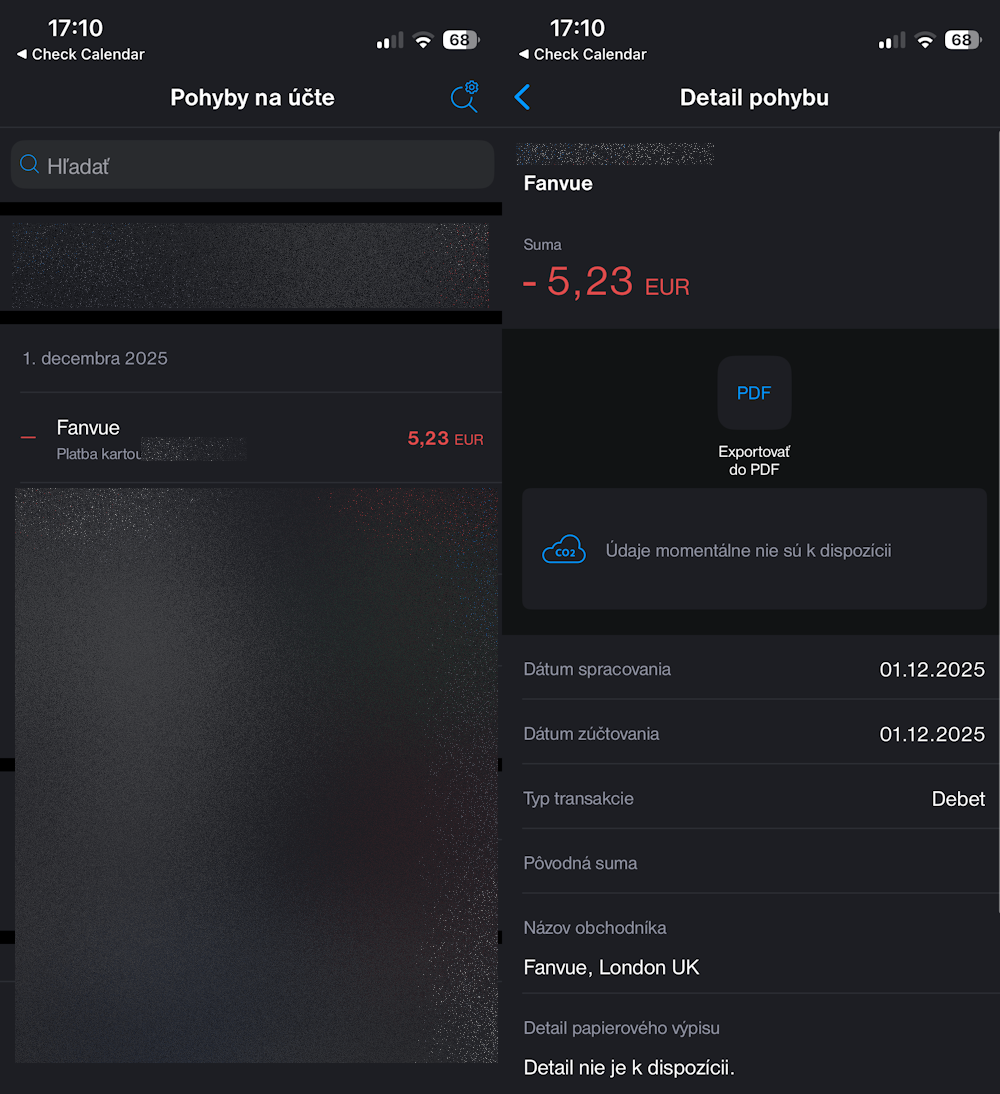
That is it. No username, no model name, no “adult” or “OnlyFans” wording. Just the domain “fanvue.com” plus the amount and date.
For most banks worldwide in 2025, it looks like you bought something from a random tech or subscription site.
Many people never notice, but if someone checks your statement closely (partner, parent, accountant), they can google “fanvue.com” and see it is an adult/AI creator platform.
Bottom line: Default is already semi-discreet, but still traceable with one Google search.
How to Make Fanvue 100% Invisible on Your Bank Statement (Free & Easy)
Fanvue gives you full control. Turn on one free setting and “fanvue.com” disappears forever.
What happens when you enable Discrete Billing
- Default “fanvue.com” → changes to neutral code like SHL 1234-567890
- Looks like a random online purchase (no one can google it and find Fanvue)
- Works for subscriptions, tips, PPV, everything
How to turn it on in 30 seconds
- Log into your Fanvue account
- Go to Settings → Wallet or Billing Preferences
- Find “Discrete Billing” → toggle ON
- Pick the neutral descriptor (SHL + random numbers)
- Save → done forever
It’s 100% free and takes effect immediately on all future charges.
Even stronger privacy options
- Pay with cryptocurrency (USDT, BTC, ETH) → zero bank trace at all. Total privacy is easy, and if you ever want to stop a payment, unsubscribing from Fanvue takes just a few seconds.
- Use prepaid Visa/Mastercard gift cards → same neutral descriptor + no link to your real card.
Bottom line in 2025: Default = “fanvue.com” (semi-private) Discrete Billing + crypto = completely invisible and untraceable. This level of safety is why is AI OFM profitable for so many creators who want to keep their fans happy and comfortable.
Turn it on today and subscribe to any AI girl with zero stress. Your secret stays safe. You can even check out how Fanvue My AI works to see how these digital models chat and interact like real people.
Conclusion
Here is the simple truth in 2025:
- Do nothing → charges show as “fanvue.com” (one Google search away from being discovered)
- Spend 30 seconds → turn on free Discrete Billing → becomes “SHL 1234-567890” (impossible to trace)
- Use crypto or prepaid cards → zero trace on any statement ever
Fanvue built these tools because they know privacy matters, especially for creators focused on AI OFM promotion and adult content.
Users worried about traceability might consider unsubscribing from Fanvue entirely if they weren't offered these discrete billing options.
No excuses left. Enable Discrete Billing right now, or switch to crypto, and enjoy your subscriptions with complete peace of mind, knowing that Fanvue is dedicated to user privacy, which indirectly helps creators in getting more Fanvue fans.
Your bank never needs to know. Your secret stays 100% safe. Go turn it on and enjoy the content you love. 💰