Fanvue AI Voice Calls
Master Fanvue AI voice calls with our simple guide. Learn to use internal tools and ElevenLabs to boost earnings instantly.

Making money on subscription sites isn't just about posting photos. Connection is key. Photos bring subscribers in, but talking to them in the DMs is what makes them stay and spend big money.
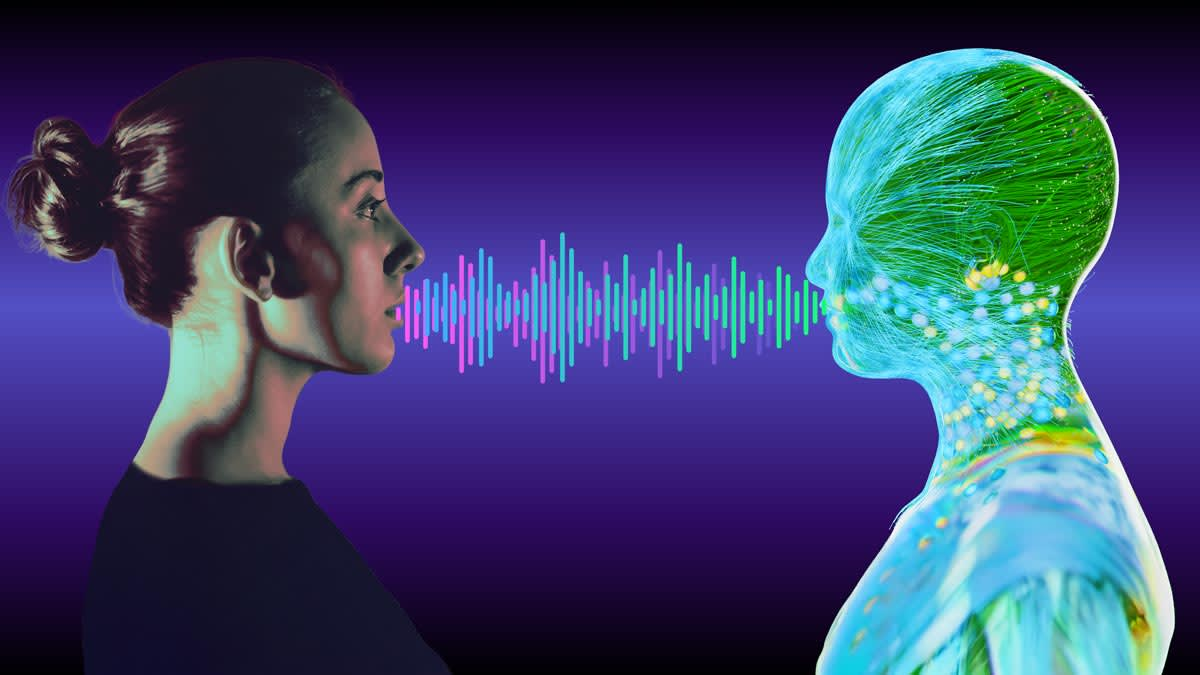
However, you cannot type messages or record voice notes all day. It takes too much time, especially if you are trying to handle multiple Fanvue accounts at once to increase your earnings.
That is where Fanvue AI helps. It allows you to send personal voice messages instantly, without recording yourself every time.
In this guide, we will teach you two easy methods:
- Fanvue's "My AI": See exactly how Fanvue My AI works using the tool built inside Fanvue.
- ElevenLabs: How to make realistic voices using an outside app.
Let's get started.
Method 1: Using Fanvue’s Built-In "My AI" Voice Tools
Fanvue has teamed up with ElevenLabs, a famous voice technology company, to bring AI voices directly into your account. This tool lets you create a voice that sounds just like you (or your character) so you can "speak" to fans even when you are asleep.
How to Set It Up
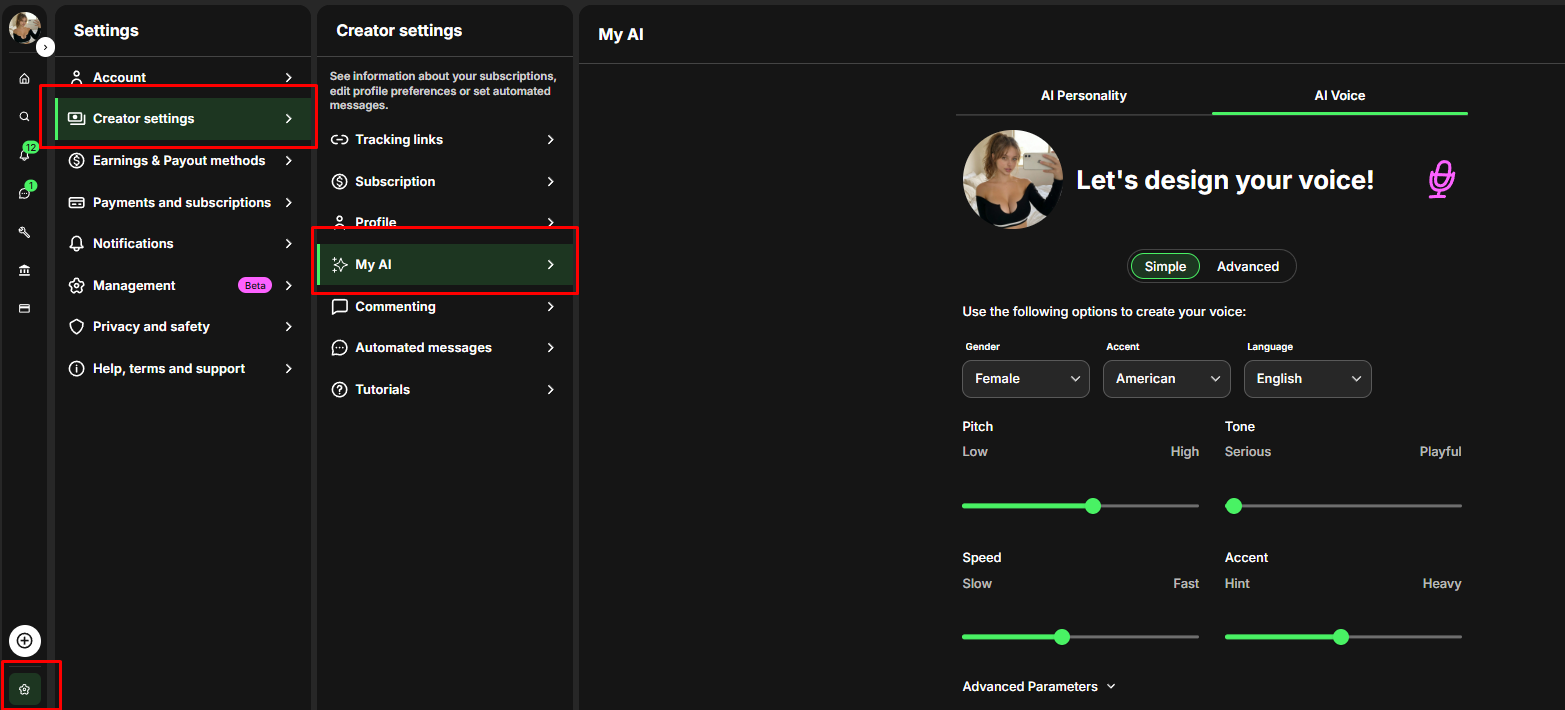
- Go to Settings: Open your Fanvue dashboard, click on Settings, then Creator Settings, and find the "My AI" tab.
- Select AI Voice: You will see options for "AI Personality" (text) and "AI Voice" (sound). Click AI Voice.
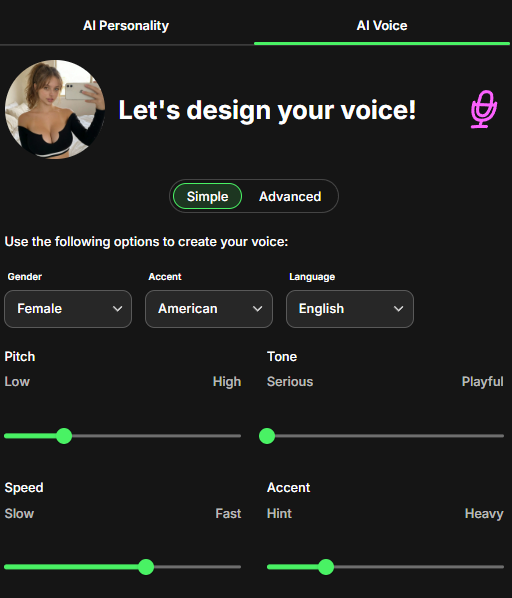
- Create Your Sound:
- Cloning: If you have a real voice, upload a few recordings. The AI will learn your pitch and tone to make a digital twin.
- Designing: If you want a completely new voice for an anonymous character, you can adjust the settings to build one from scratch.
How to Use It in Chat
Once you set this up, the tool lives right inside your message inbox.
- Open a Chat: Click on a message from a fan.
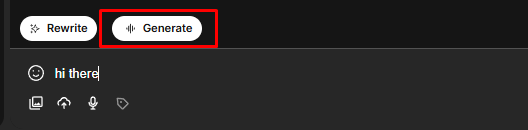
- Write or Generate: Type what you want to say, or use the "Generate message with AI" button to have the bot write a reply for you.
- Click "Generate Audio": Press the audio button next to the text box. In a few seconds, your text turns into a voice note.
- Send: The fan gets a personal voice message that sounds authentic, making them feel special.
When to Use It
- The "Always On" Trick: Use this when you are at the gym, on vacation, or sleeping. It makes fans think you are always available.
- Fast Replies: Use this to clear your inbox quickly. Creating an AI audio message is much faster than recording 50 real voice notes yourself.
Method 2: Using ElevenLabs for Professional Audio
Fanvue's internal tool is great for speed, but the ElevenLabs website is more powerful. It gives you better control over how the voice sounds. It is also perfect for building a "Voice Note Bank"—a collection (just like having a folder of PPV'S) of ready-to-use audio files that you can send to thousands of fans instantly.
How to Create Your Voice
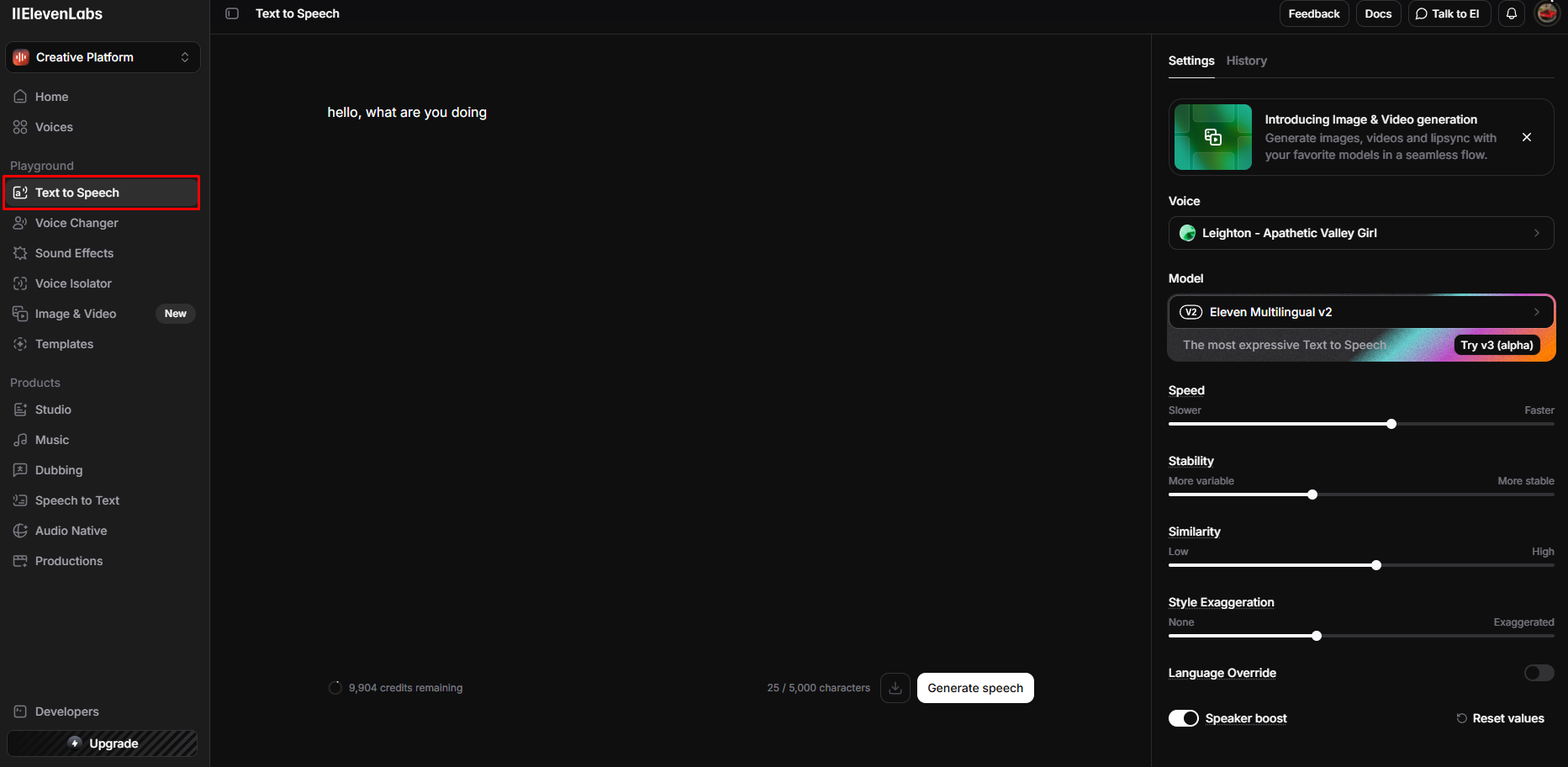
- Go to Voice Design: Log in to the ElevenLabs website and click on Playground > Text to Speech.
- Describe what to say: You need to tell the AI exactly what to be said.
- Example: "hello, what are you doing."
- Play around with the settings
- Generate and Save: Click the generate button. If you like how it sounds, save it and give it a name (e.g., "Chloe Main Voice").
Create a "Voice Note Bank" (Save Time)
Do not make a new message for every single person. Instead, use ElevenLabs to make a library of general messages that work for everyone.
- Starters: Make clips like "Hey handsome, how was your day?" or "I was just thinking about you."
- Selling Content: Make clips to help sell your locked posts, like "Are you going to leave me hanging?" or "Unlock the video to see more."
- For Big Spenders ("Whales"): For fans who spend a lot of money, type their real name into the tool. Hearing their name in your voice makes them very happy and encourages them to tip more.
Pro Tip: When you download an audio file, name it exactly what the voice says (example: hi_babe_how_was_ur_day.mp3). This makes it easy for you to find the right file quickly when you are chatting.Summary: Which Method Should You Use?
Feature | Fanvue Internal AI | ElevenLabs (External) |
|---|---|---|
Best For | Real-time, specific replies to individual questions in DMs. | Creating high-quality, reusable "mass message" blasts and marketing assets. |
Speed | Instant (integrated into the chatbox). | Slower (requires download/upload). |
Customization | Good (uses your cloned voice). | Excellent (granular control over stability, clarity, and style). |
Cost | Part of the platform features. | Subscription based (starting around $5/mo). |
Think of text messages like a black-and-white photo. They are nice, but simple.
Voice messages are like a 3D movie. They feel real, exciting, and alive.
By using these AI tools, you stop being just a profile on a screen and become a real person to your fans. When fans hear your voice, they trust you more and spend more. Do not just type; start speaking. Your fans (and your bank account) will notice the difference immediately.